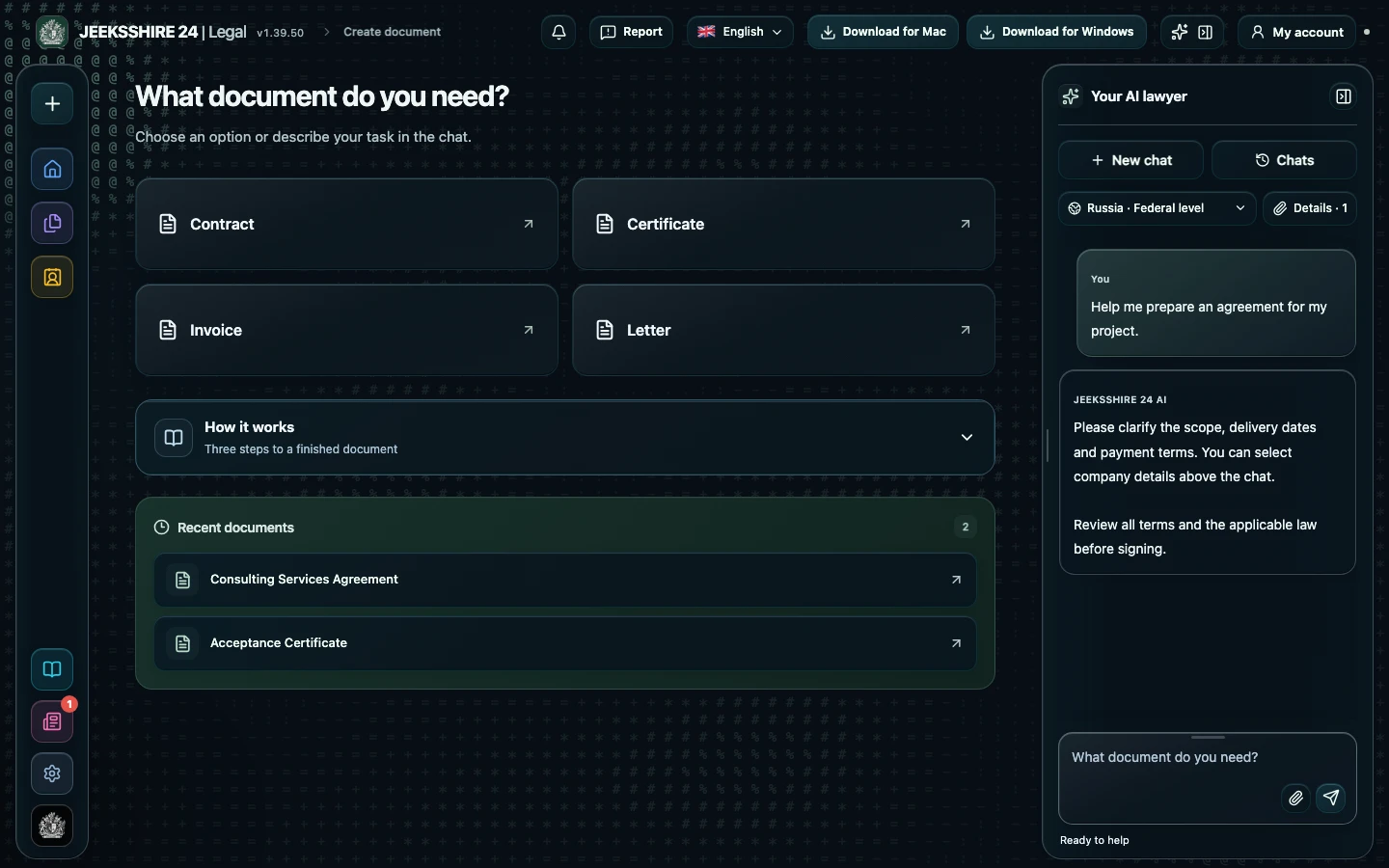
What the AI asks about the deal
The assistant identifies the document type from your description and, before drafting, collects the essential inputs: who the seller and buyer are and their status — individual, sole trader or company; what exactly is being sold, in what quantity and condition; price, currency, taxes and payment terms; the time, place and method of delivery; and the language of the document. It asks up to six related questions per turn and does not repeat questions already answered. Details from a saved party profile are copied word for word, and unknown data is never invented: turn on “Draft with fillable fields” and you get a draft right away, with [FILL IN: …] markers and a “Needs to be completed” list.
Essential terms and your role
In most legal systems a sales agreement without a clear subject — the name and quantity of the goods — risks being treated as not concluded, and for some assets, such as real estate, the price may be essential too. Beyond the subject, the draft should say when and where the goods are delivered, when title and the risk of accidental loss pass to the buyer, what quality is expected and how the goods are accepted. Choose your side before drafting. A buyer cares about the description and completeness of the goods, inspection on acceptance, warranty and refund of prepayment. A seller cares about payment deadlines, retention of title until full payment and limits of liability. Commercial terms suggested by the AI are shown separately under “Proposed terms — to be agreed” and are never presented as agreed.
Form, registration and layout
An ordinary sale of goods can usually be made in simple written form, but for real estate, vehicles, company shares and other specially regulated assets many countries require notarisation, state registration or a special procedure. Once there is enough information, Legal looks up these requirements on the official legal portals of the selected country and only then drafts: city and date under the title, an opening paragraph naming the parties, sections such as “1. Subject of the agreement”, clauses “1.1”, and party details and signatures at the end. A reference to a legal provision stays in the legal notes only if the full text of the source was retrieved. The finished draft opens in the editor, where you can amend it, sign it and save it as PDF, DOCX, ODT, RTF, HTML, MD or TXT.
Limitations
Drafting a sales agreement with legal research is available on Plus ($5 per month) and Pro ($10 per month); Free keeps the chat, editor, export, party profiles and the local clause check. The draft is a working version to be checked, not a legal opinion: Legal does not guarantee that the agreement will be held valid and does not register transactions. If a provision is not confirmed by the full text of an official source, this is stated in the draft's limitations. Show deals involving real estate, vehicles, company shares and valuable assets to a lawyer or notary.
Check your own sales agreement in Legal
Received a draft from the other party? Upload it as PDF, DOCX, TXT or HTML up to 15 MB (recognise a scan first and compare it with the original) and run a contract review. In “Whose interests are we reviewing?” choose “Seller” or “Buyer”: the AI will find up to 30 material issues — for example, acceptance without explicit consent, a 100% non-refundable prepayment, unilateral price changes or a missing dispute clause — quote the clauses, compare them with provisions from official sources and suggest draft edits. Free includes a local check of twelve typical clauses without legal research.
Review a sales agreement ↗Questions about sales agreements
Can I draft a car sales agreement?
Yes. Describe the deal as the sale of a vehicle: make, model, year, VIN, condition, price and handover. The assistant will clarify what is missing and look up the selected country's requirements for form and registration. Legal does not carry out registration — that has to be done with the competent authorities.
Is the draft suitable for selling a flat or other real estate?
The AI will prepare a draft and separately flag requirements for form, registration and notarisation if it finds them in official sources. In many countries real estate deals follow a special procedure, so be sure to show such a draft to a lawyer or notary.
Will the AI invent ID details, bank details or the price?
No. The model is prohibited from inventing names, addresses, bank and registration details, dates and amounts. Anything unknown is marked with [FILL IN: …] fields and listed under “Needs to be completed”. Saved party profiles are inserted word for word.
Will the draft cite articles of law?
Only if the requirement is confirmed by an official source whose full text was retrieved. Otherwise the reference is not used, and the draft's limitations say plainly that the source was not verified. The AI does not make up article numbers.
Can I draft the agreement in another language?
Yes. The document language is agreed in the conversation and can differ from the interface language. The governing law is chosen separately: the language of the agreement does not change the jurisdiction.
How do I revise the draft?
Write in the same conversation what to change — Legal keeps the agreed terms and fixes what you asked for. The draft also opens in the editor, where you can edit it by hand, sign it and save it in the format you need.
Can I create an invoice or an addendum for this agreement?
Yes. Document creation offers thirteen document types, including an invoice, an act, a contract addendum and a claim letter. For an act or addendum, select the original agreement in the “Basis document” field.
How much does drafting cost?
Drafting with legal research is available on Plus ($5 per month) and Pro ($10 per month). A contract you received can be checked for typical clauses on Free as well, using the local check.