Open the original PDF
Upload a file up to 15 MB and choose the original PDF mode: source pages and rotation are kept. In this mode you can sign and add text, including on scans without recognized text.
 JEEKSSHIRE 24 | Legal
Need to sign a finished PDF and keep its layout? Open the file in Legal, draw your signature and place it on the page you choose.
Go to sign in ↗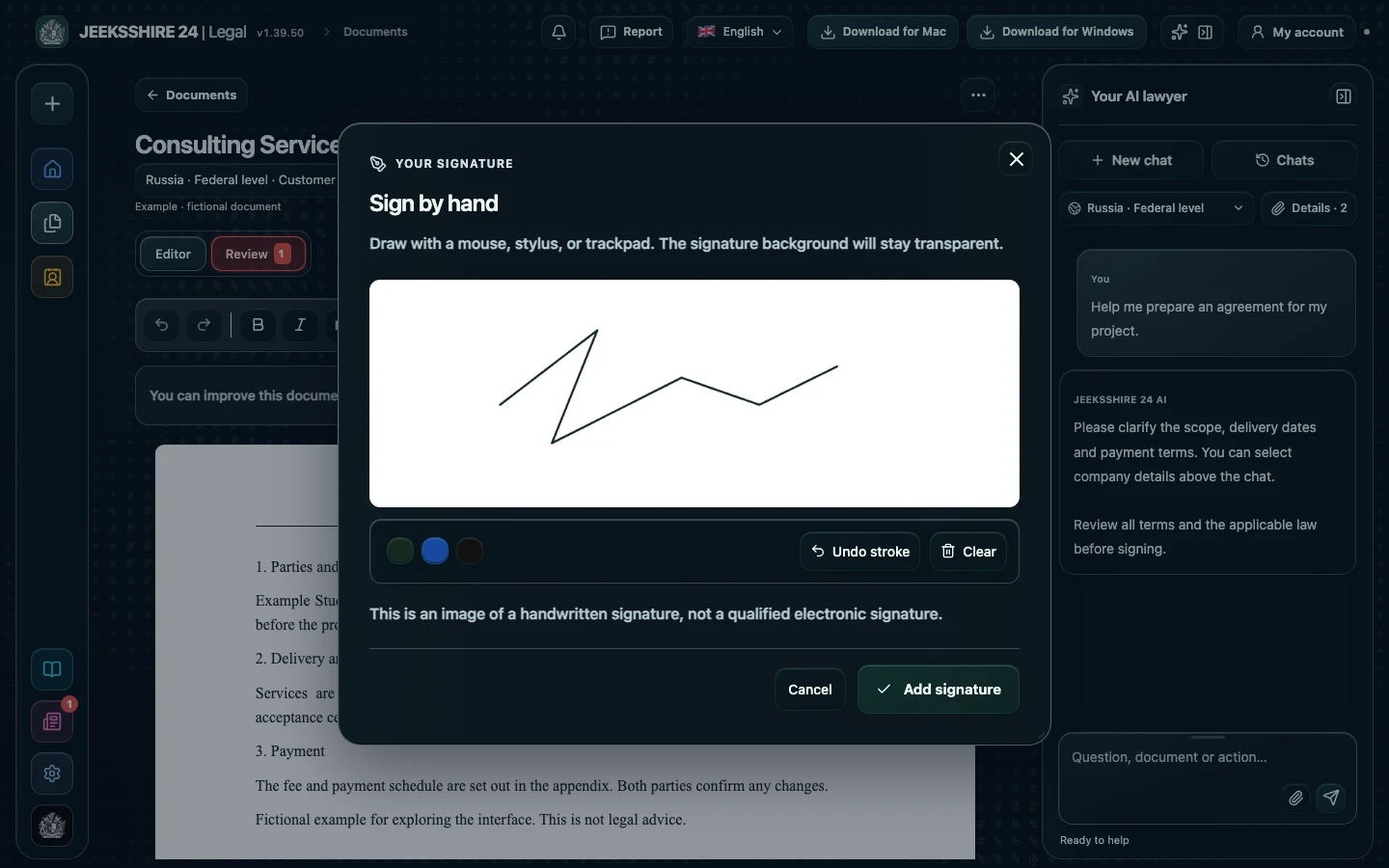
Upload a file up to 15 MB and choose the original PDF mode: source pages and rotation are kept. In this mode you can sign and add text, including on scans without recognized text.
Draw with a mouse or trackpad, pick one of three colours, undo a stroke or clear the field. Insert the signature on the page and resize it. The signature background stays transparent.
It is an image of a handwritten signature, not a qualified electronic signature. If your document requires a qualified signature or another form, check the requirements first and use a suitable method.
Legal adds a graphic image of a signature, not a qualified e-signature. Its effect depends on the parties' agreement and the applicable law.
In original PDF mode the pages are preserved. The text version of an imported PDF gets a new layout, so choose the original PDF to sign without moving anything.
Prepare a service agreement, NDA, acceptance document, invoice or letter with AI. Clarify the parties, scope, deadlines and payment, then review the draft in the editor.
Discuss clauses, risks and wording with AI. Compare suggestions with the contract and available sources, then edit the document before signing.
PDF, DOCX, scans and screenshots, reusable party details, signatures and export are part of Legal. Move between stages without manually transferring the entire document between separate tools.