I · CREATE
Create
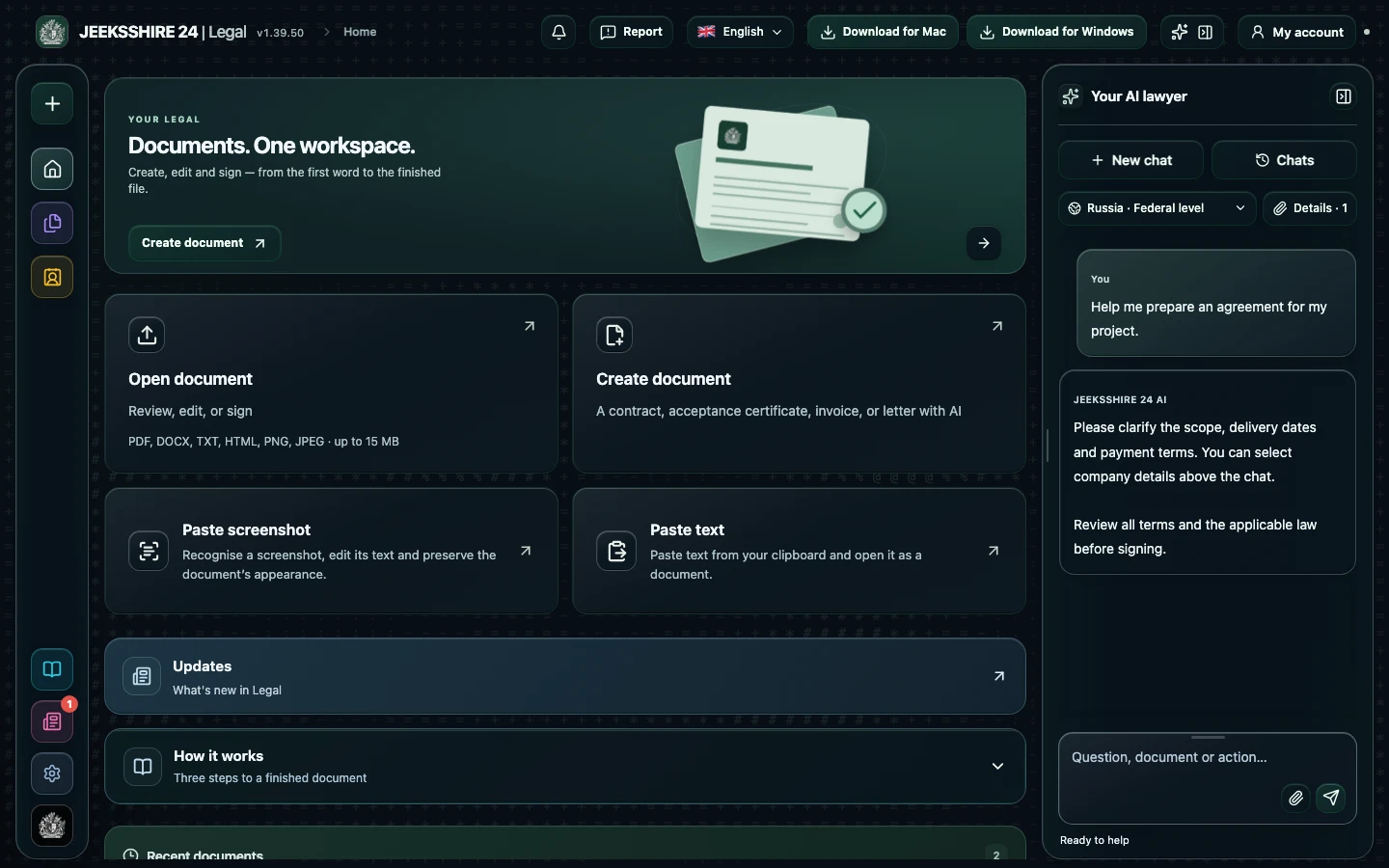
Describe your task, select a country and region, and clarify the details. AI helps prepare a draft contract, letter, acceptance certificate, or another document.

Draft and review contracts, NDAs, acceptance certificates, and claims. AI explains terms in plain language, flags risks, and checks them against your chosen country's law, with sources. Edit and sign on Mac, Windows, or in your browser.
Less routine. More clarity.
Legal brings your assistant, documents, and editor into one workspace. Start a new project or upload a file — then move forward without switching between different services.

I · CREATE
Describe your task, select a country and region, and clarify the details. AI helps prepare a draft contract, letter, acceptance certificate, or another document.
II · REVIEW
Explore terms, findings, sources, and limitations. Compare the result with your selected jurisdiction and your own circumstances.
III · FINISH
Edit the text, add an image of your signature, and save the document as DOCX or another available format.
Features
07 screens · swipe →
Your assistant stays beside the workspace, with party details, original files, and edits close at hand. A connected process, from start to finish.
Ask a question, explain your situation, or request a draft. The conversation, selected jurisdiction, and document help preserve context.
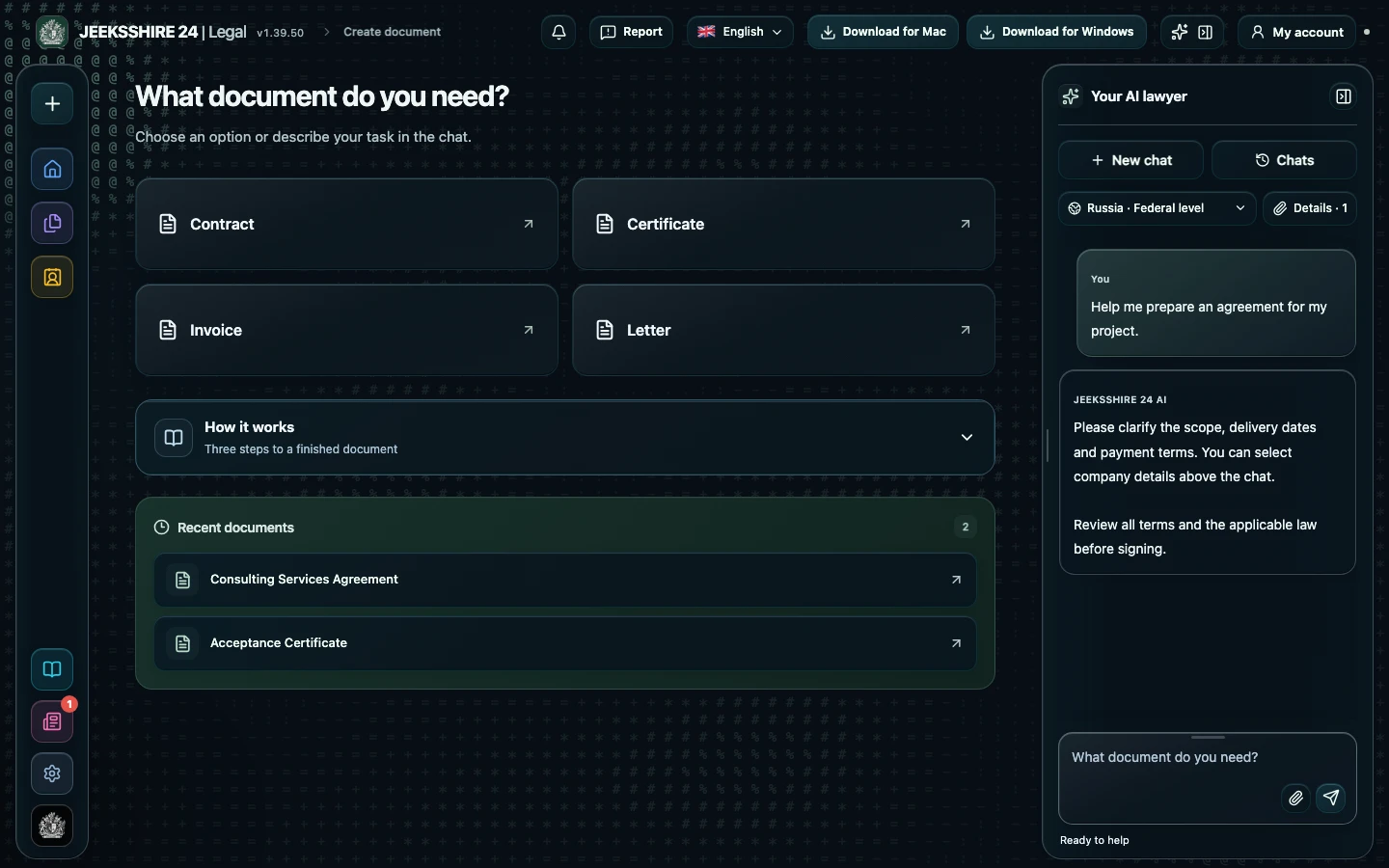
Contracts, letters, acceptance certificates, invoices, and other drafts. The assistant clarifies missing details and keeps unfilled fields visible for review.
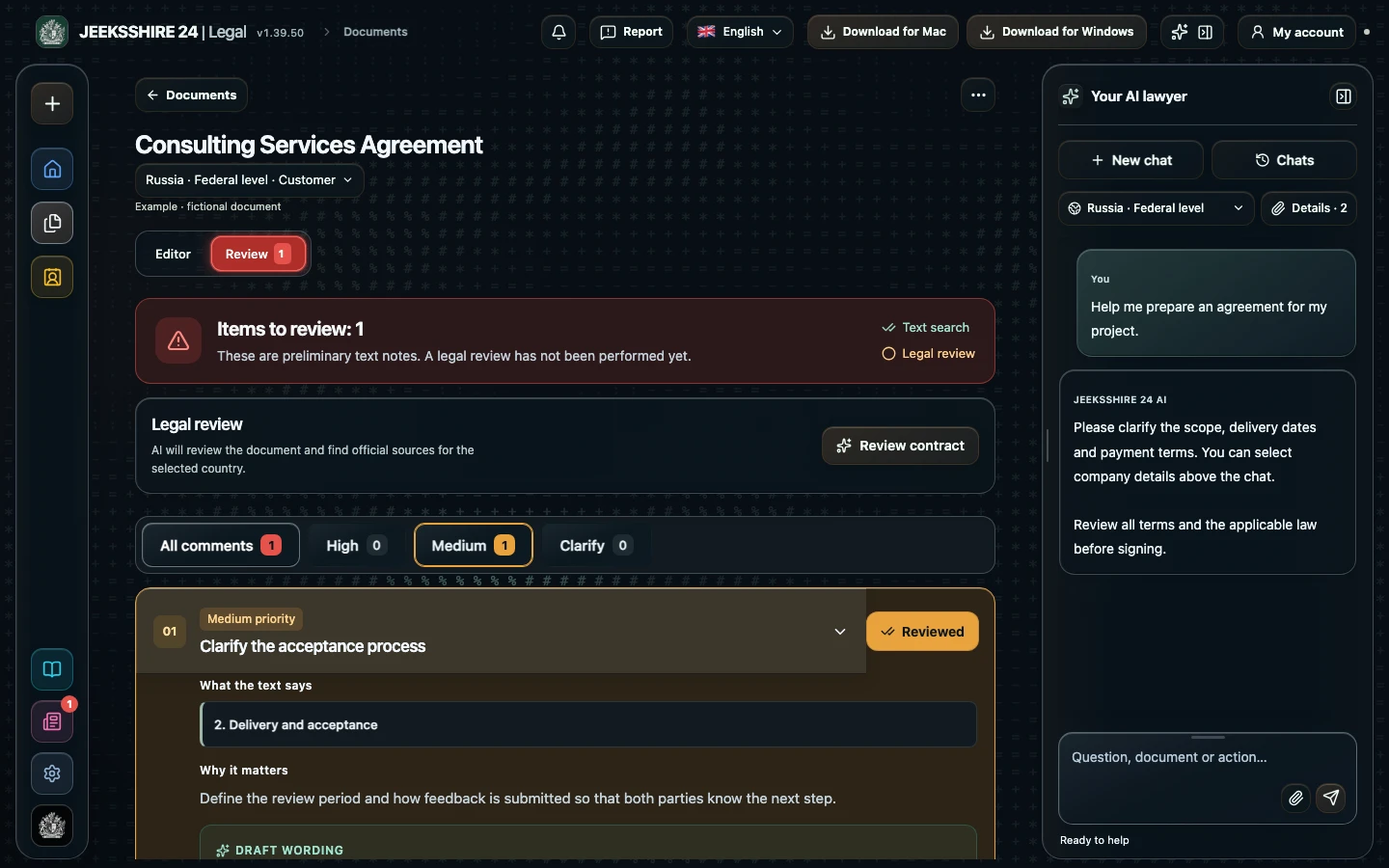
Upload a document and explore findings, sources, and next steps. Check whether the rules apply and whether sources are current.
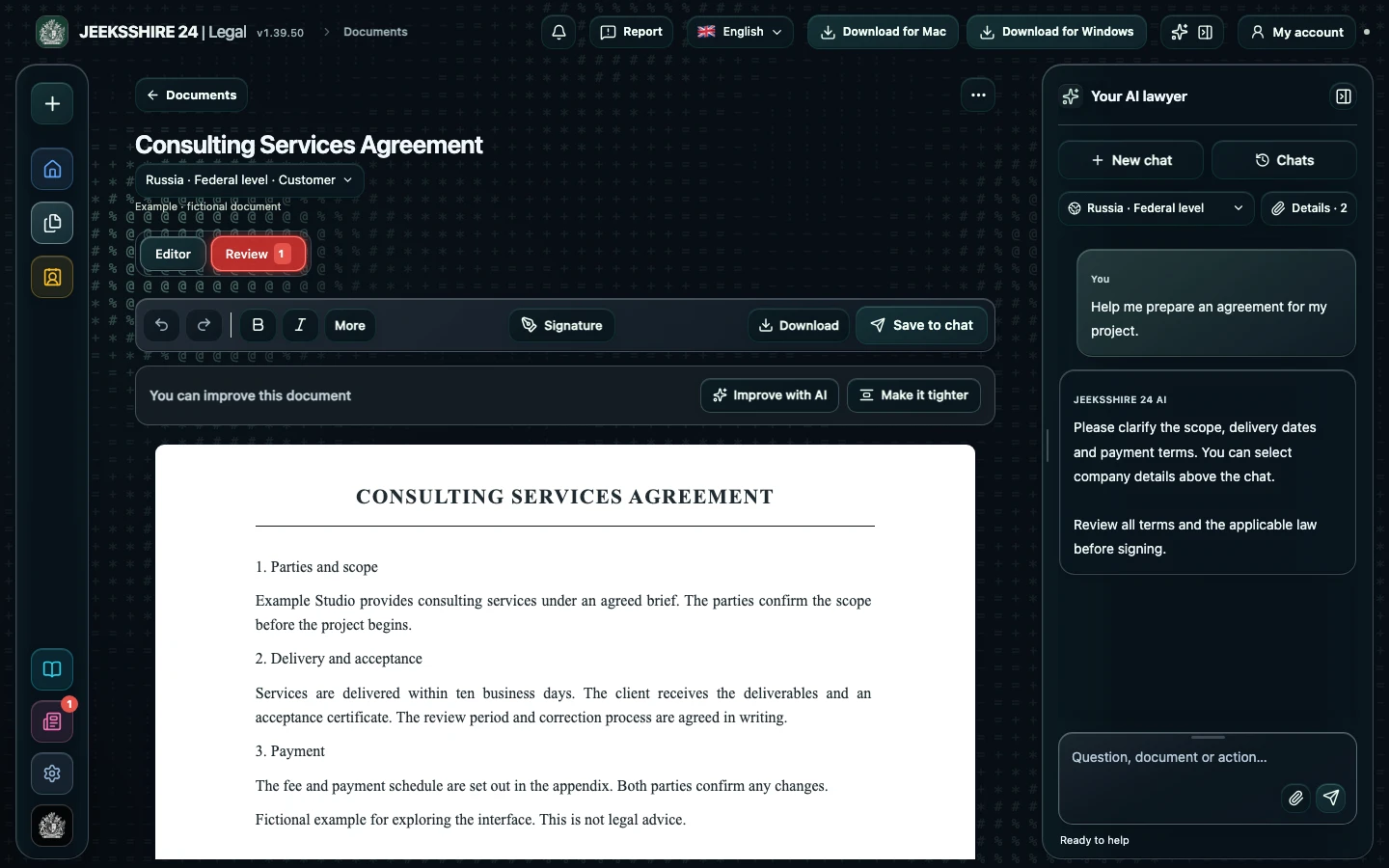
Refine wording, change the structure, headings, lists, and tables. The original file stays separate from the working version.

Save your personal, company, and counterparty details once. Select the right profile for each document without entering everything again.
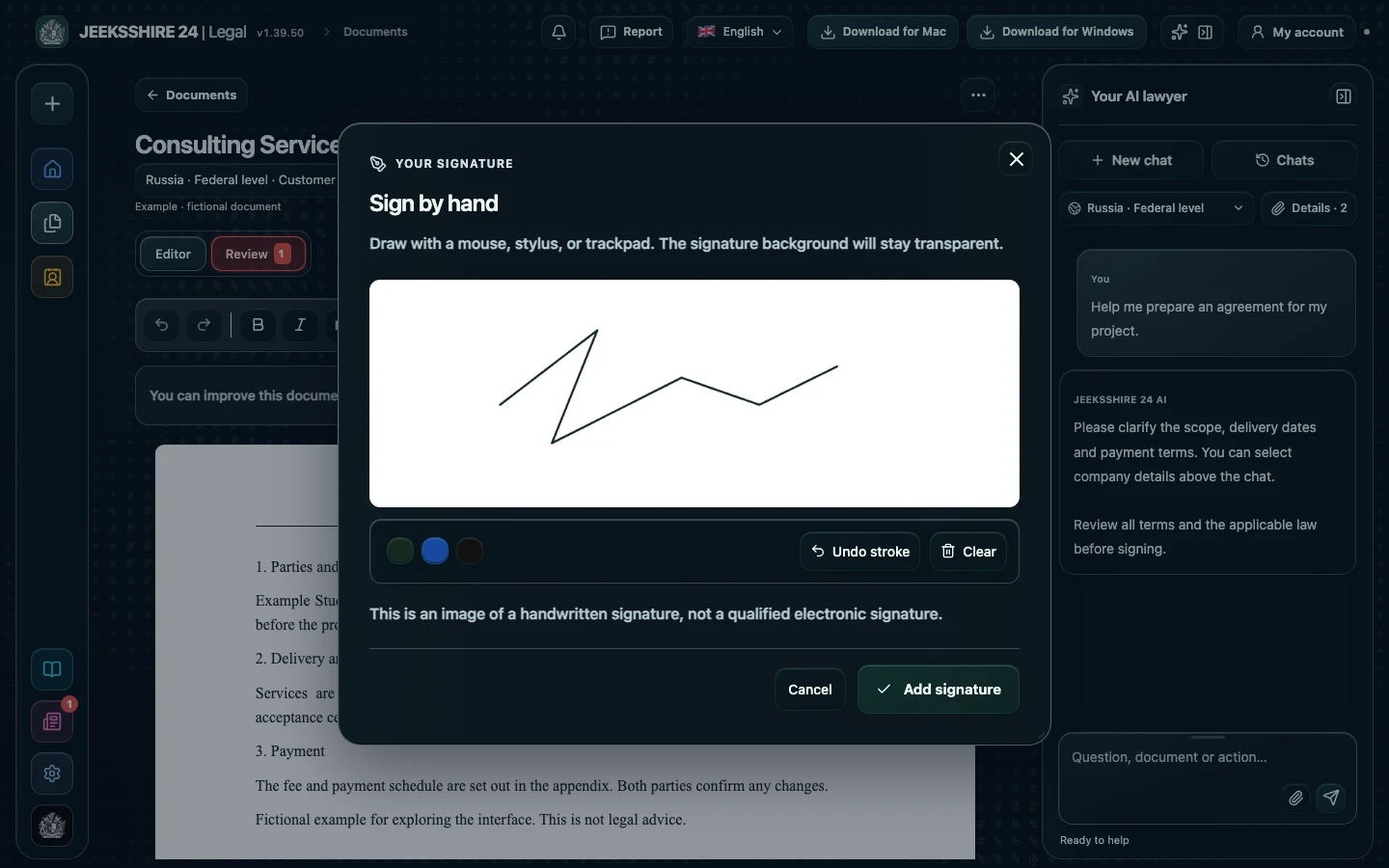
Draw a signature with your mouse, stylus, or trackpad. It is an image of a signature, not a qualified electronic signature.

Open files, browse folders, return to drafts, and save the result as DOCX. The same account is available on Mac and on the web.
From the first question to the final edit. Your space for working with documents.
Platforms
Mac and Windows apps and the web version are available. Use your browser on phones and tablets.
Mac, Windows and web are available. Use the browser on iPhone, iPad and Android.
Plans
Start with Free, or choose Plus and Pro for more frequent document work. Your remaining credits, payment terms, and subscription controls are available in your account.
$0 / per month
150 credits per month
View plans in your account ↗$5 / per month
1,500 credits per month
View plans in your account ↗$10 / per month
3,500 credits per month
View plans in your account ↗Credits are used for AI operations. Final terms and available payment methods are shown in your account.
Contact
Need help with the app, have a question, or want to share an idea? Contact support.
It is an AI app for Mac and Windows and a web version for drafting, reviewing and editing contracts and other documents, run by JEEKSSHIRE 24 FZE LLC, Ajman Free Zone, UAE. The name is sometimes written as Jeekshire 24, Jeekshire24 or Джикшир 24: it is the same product.
Open PDF, DOCX, TXT or HTML files, including service agreements, leases and NDAs. Review quality depends on the text and selected legal context. Check OCR output against the original scan.
Describe the document and its terms in the chat. The assistant asks follow-up questions and prepares a draft you can complete with party details, edit and export.
Choose a country, region and party role. Verify that sources are current and relevant to your situation. Legal does not promise comprehensive coverage of every country's laws.
Use the web app on desktop and mobile, the signed Mac application for Apple Silicon with macOS 13+, or the Windows 10/11 installer for x64 and ARM64. Native iOS and Android applications are not released yet.
Work is linked to your account. Server workspace data is encrypted at rest; this is not end-to-end encryption. When you use AI, relevant data is sent to the connected provider after consent. See the privacy policy and service documents for details.
No. AI can make mistakes, miss terms or use outdated information. Check the document, sources and material risks before signing, and seek a qualified lawyer for individual legal advice.
Prepare a service agreement, NDA, acceptance document, invoice or letter with AI. Clarify the parties, scope, deadlines and payment, then review the draft in the editor.
Discuss clauses, risks and wording with AI. Compare suggestions with the contract and available sources, then edit the document before signing.
PDF, DOCX, scans and screenshots, reusable party details, signatures and export are part of Legal. Move between stages without manually transferring the entire document between separate tools.